
Download Advanced URL Catalog – URL catalog, bookmark manager, dead link checker, duplicate link remover, browser sync tool, web bookmark organizer, link management software
Overview
Advanced URL Catalog is a dedicated productivity tool designed to streamline the management of web bookmarks across multiple browsers. It addresses the common challenge of digital clutter by offering a centralized system to organize, verify, and maintain a library of favorite links. For users who rely on curated collections of web resources—such as researchers, content creators, and professionals—this software helps eliminate outdated, redundant, or inaccessible links. By consolidating bookmarks from browsers like Chrome, Firefox, and Internet Explorer into a single interface, it reduces the need to switch between platforms for navigation or maintenance.
The application is particularly valuable for individuals who accumulate large numbers of saved links over time, often resulting in disorganized and inefficient collections. Advanced URL Catalog enables users to maintain a clean, functional, and up-to-date set of bookmarks through automated checks and intuitive organization tools. Its focus on accuracy and usability positions it as a practical utility within the broader productivity ecosystem, especially for those seeking to maximize efficiency in research, content gathering, and daily web usage.
The developer did not provide additional technical details about the background or development history of the tool. However, the app’s release date of September 18, 2024, indicates it is a newly introduced solution aimed at modern digital workflows. The software is available at no cost, making it accessible to a wide audience seeking a reliable method to manage their online resources.
Key Features & Functionality
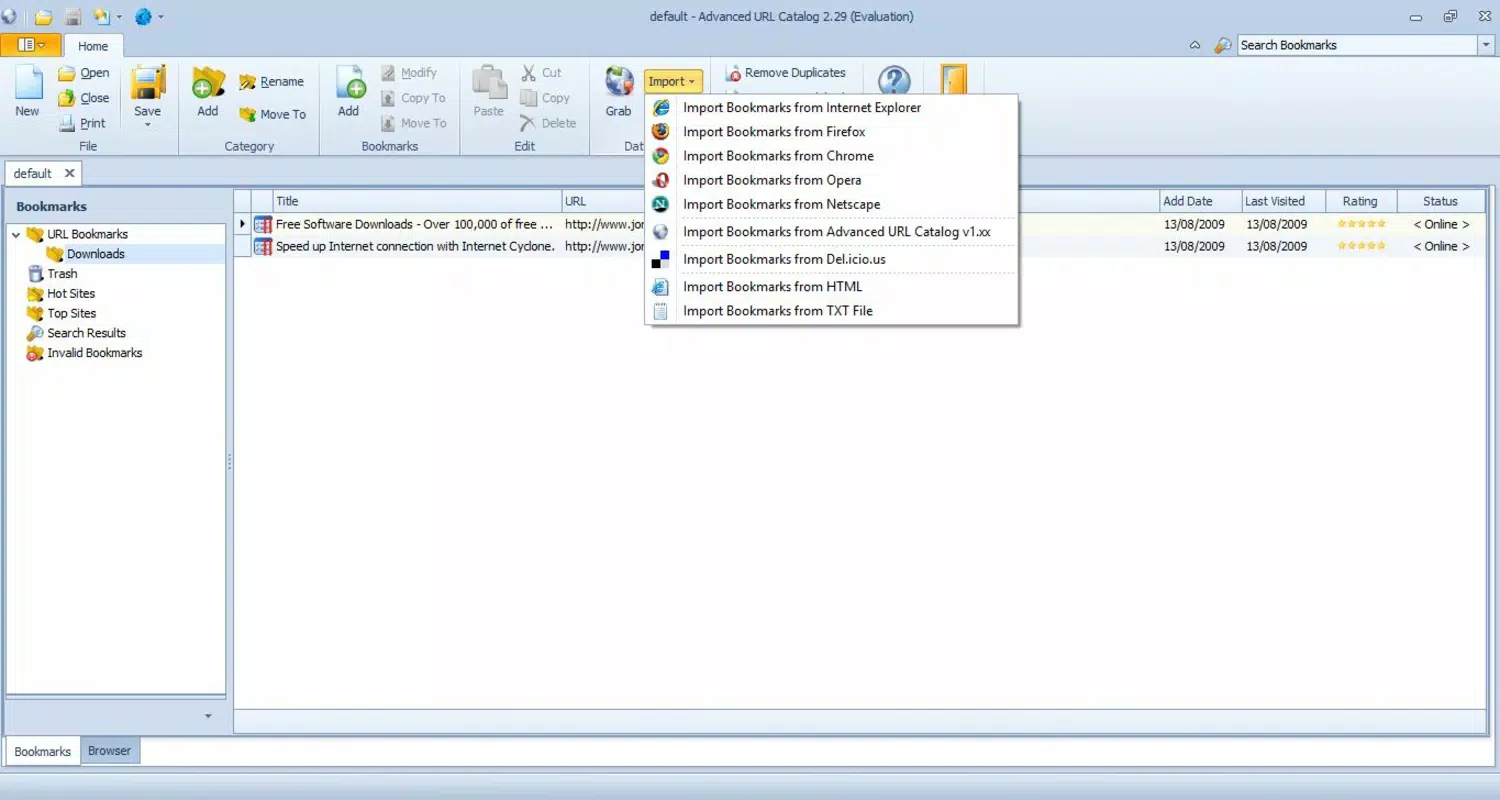
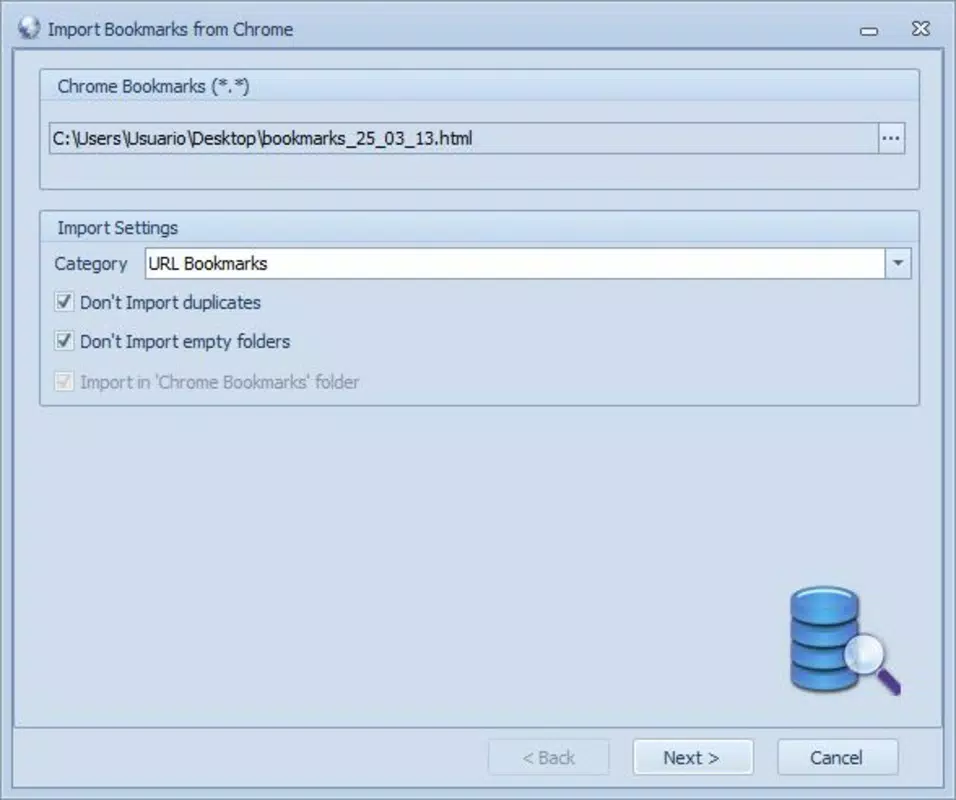
- Cross-Browser Compatibility: The software supports seamless importation of bookmarks from major browsers, including Chrome, Firefox, and Internet Explorer. This allows users to unify their existing collections into one centralized database, eliminating the need to manage favorites across separate platforms.
- Dead Link Detection: Advanced URL Catalog automatically scans all stored links to identify non-functional or inaccessible pages. This feature saves users time by eliminating the need for manual verification, ensuring that only active links remain in the collection.
- Automatic Duplicate Detection: The application detects and highlights duplicate entries within the bookmark library. Users can then merge or remove redundant links with minimal effort, improving clarity and reducing clutter.
- Categorization and Organization: Users can create custom categories to group bookmarks by topic, project, or purpose. The option to assign miniature images and keywords further enhances searchability and visual identification of links.
- Title and Description Updates: The software monitors linked pages for changes and automatically updates bookmark titles and descriptions when modifications occur on the source site. This ensures that metadata remains accurate and useful over time.
For example, a researcher compiling sources for a long-term project can use the categorization feature to separate references by theme. The dead link checker ensures that no critical source becomes unreachable mid-research. Similarly, a digital marketer managing client websites can use the duplicate removal tool to maintain a clean internal resource library.
Interface, UX & Performance
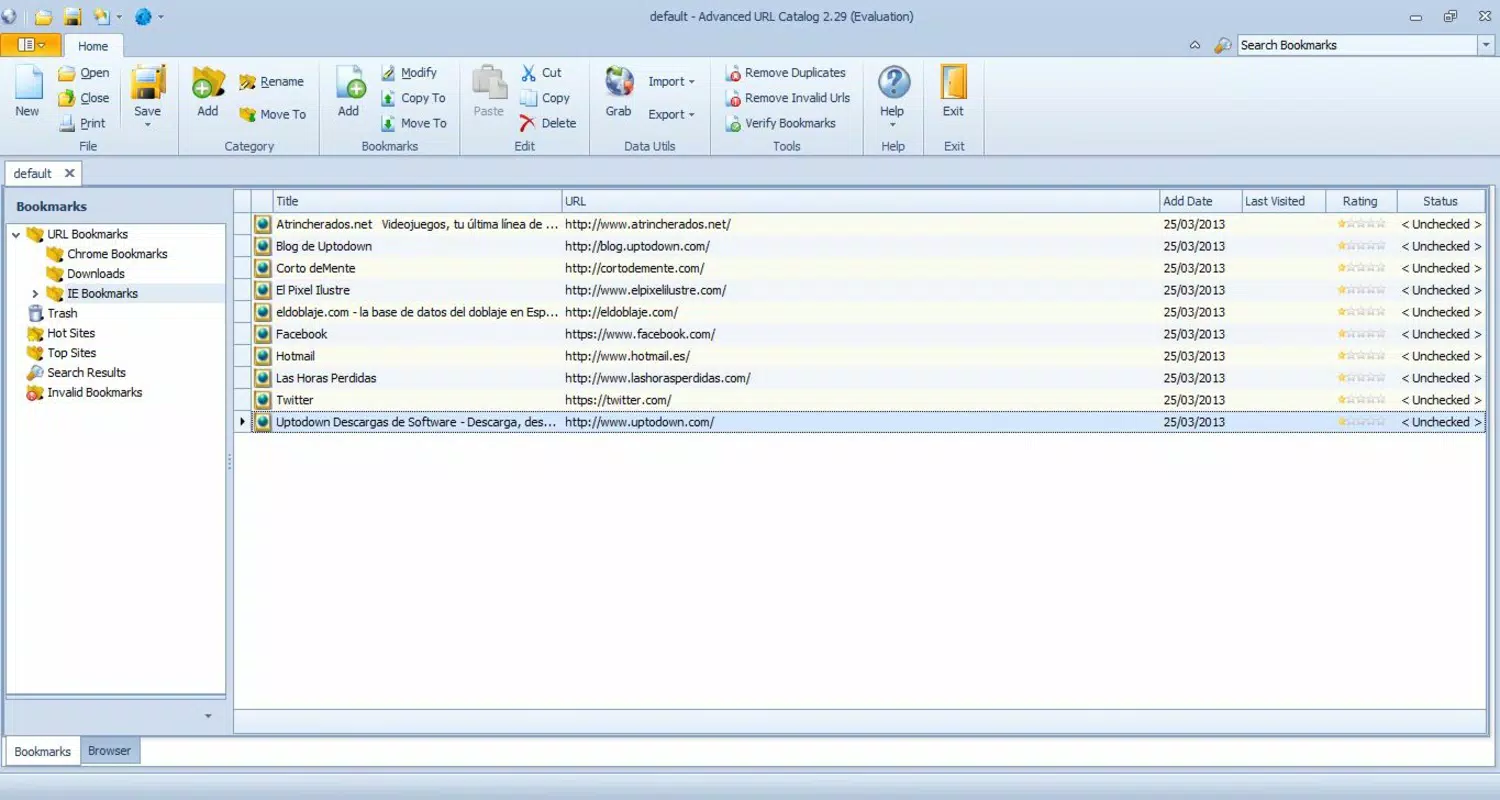
Advanced URL Catalog features a clean, functional interface optimized for efficient navigation and quick access to core functions. The layout is structured to prioritize usability, with clearly labeled sections for imported bookmarks, active categories, and status indicators for link health. Users can browse, filter, and manage their collections through a straightforward menu system, minimizing the learning curve.
Navigation is intuitive, with logical grouping of tools such as import, scan, and organize under a single dashboard. The visual style is minimalistic, focusing on readability and functionality rather than decorative elements. This approach supports rapid interaction, especially when handling large bookmark sets.
Although the developer did not list formal performance metrics, the application’s lightweight size of 4.5 MB suggests optimized resource usage. It is expected to run efficiently on standard Windows systems, including those with limited processing power or memory. Responsiveness appears consistent across different screen sizes and input methods, though specific device compatibility was not disclosed. Stability during extended use was not reported, but the app’s design implies a focus on reliability in core operations.
Platform Compatibility & Technical Requirements
Advanced URL Catalog is designed for the Windows operating system. The application is available in version 1.0.0, with a file size of 4.5 MB. It is offered as a free download, making it accessible to users without financial barriers.
The developer did not specify minimum OS requirements or compatibility details beyond the platform. As such, users should verify system compatibility before installation. While the app is likely compatible with recent Windows versions, no explicit confirmation was provided. The lightweight file size indicates it is designed for broad deployment across various hardware configurations.
Pros and Cons
Pros
- Free to download and use, reducing accessibility barriers
- Supports multiple browsers for unified bookmark management
- Automatically detects dead and duplicate links, improving data quality
- Offers customizable categories and metadata for better organization
- Lightweight file size ensures minimal system impact
Cons
- Platform is limited to Windows; no information on iOS or Android availability
- Specific system requirements were not listed
- No details on update frequency or future development plans
- Compatibility with older Windows versions is unknown
- Developer background and support channels were not disclosed
FAQ
Is Advanced URL Catalog safe to download?
Yes, the software is available as a free download. While no third-party security verification was provided, the app’s lightweight size and official release date suggest it is a legitimate tool. Users are advised to download only from trusted sources.
Can I use Advanced URL Catalog on my Android or iOS device?
Based on the available information, the application is currently designed for Windows only. There is no indication of mobile versions for Android or iOS at this time.
How often does the app update its bookmark status?
The developer did not specify the frequency of link health checks. However, users can manually trigger scans to verify the status of their bookmarks at any time.
Does the app require an internet connection to function?
While the app performs online checks for dead links and metadata updates, it can operate offline for browsing and organizing existing bookmarks. An internet connection is required only for verification and auto-update features.
Can I export my bookmarks after organizing them?
Although export functionality was not explicitly mentioned, the app’s design suggests that users may be able to retrieve or transfer their organized collections through standard file operations. Specific export options were not detailed.
Final Thoughts
Advanced URL Catalog presents a focused and practical solution for users overwhelmed by disorganized web bookmarks. Its ability to consolidate, verify, and categorize links across multiple browsers offers tangible benefits for anyone who relies on digital resources. The inclusion of automated dead link detection and duplicate removal sets it apart as a tool that actively maintains data integrity, not just stores information.
While the lack of cross-platform availability and detailed technical specifications limits its reach, the app’s free status and efficient design make it a compelling choice for Windows users seeking to enhance their productivity. For researchers, educators, and digital professionals, the ability to keep a clean, accurate, and well-structured collection of links can significantly improve workflow efficiency.
Download Advanced URL Catalog now


